A new Employee Directory is now available in GoldStar, giving everyone in Team TRB a faster way to find colleagues, contact information, reporting structures, and organizational charts across the company.
Search Across TRB
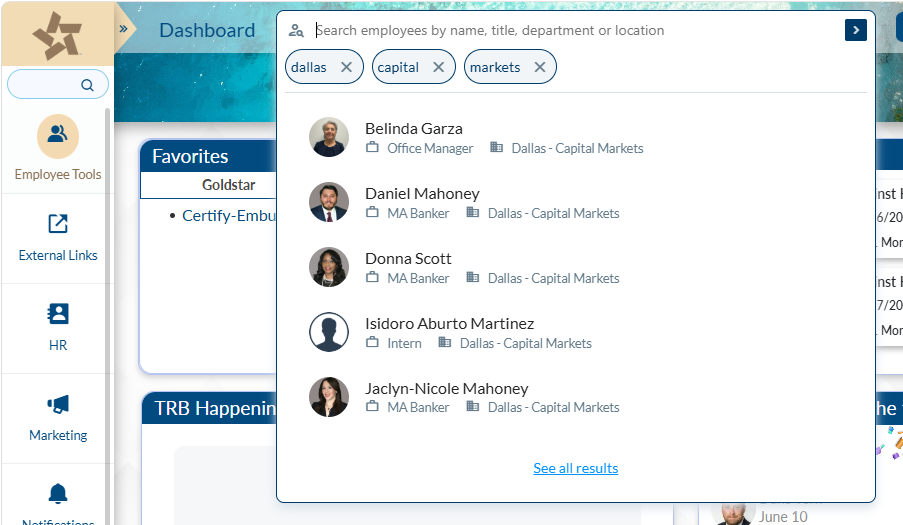
The Employee Directory allows employees to search by name, office, department, division, or job title to quickly find the information they need.
Whether you’re looking for a lender in Central Texas, a member of Branch Operations, or a colleague in another division, the directory helps connect employees across the organization.
Employee Information at Your Fingertips
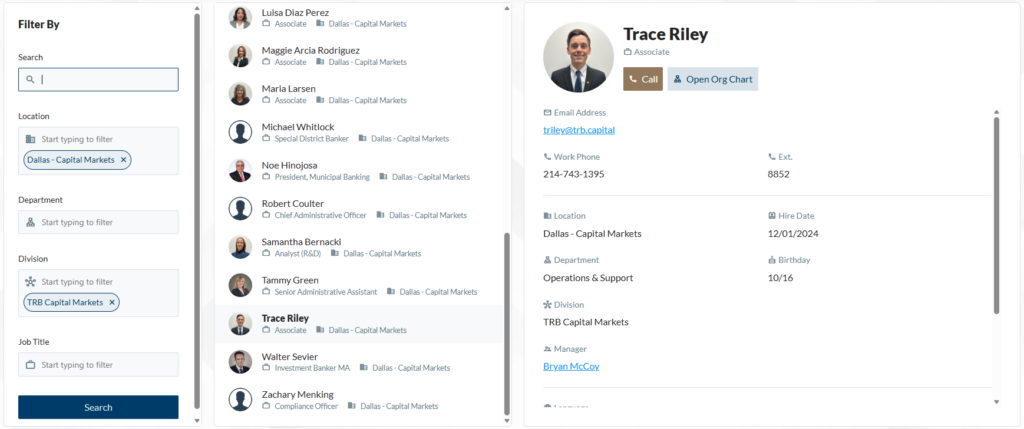
Each employee profile includes key information such as:
- Name and title
- Contact information
- Office location
- Department
- Hire date
- Reporting manager
The directory is powered by information maintained through Paycor and other internal systems, helping ensure employee records remain accurate and up to date.
Explore the Organizational Chart
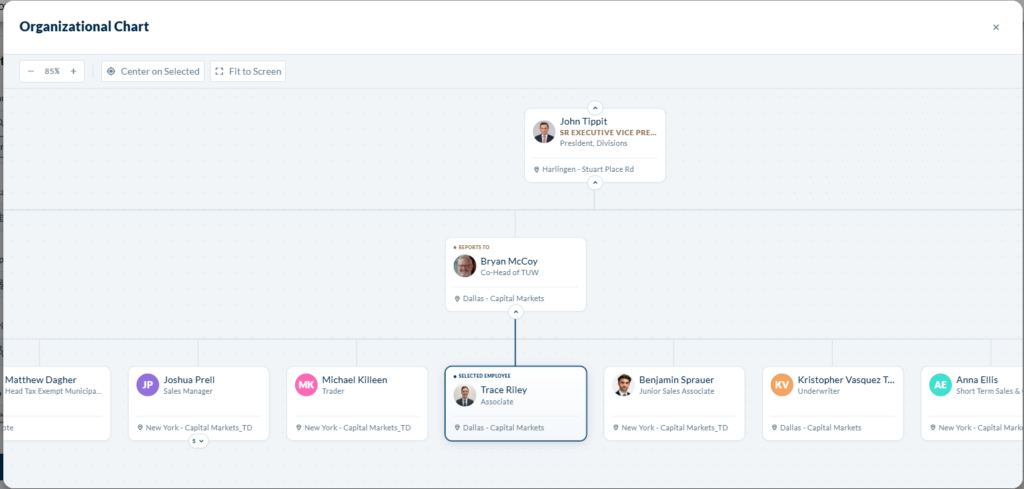
A new Organizational Chart feature allows employees to visualize reporting structures and navigate teams across TRB.
Starting from any employee profile, users can move up and down the organizational structure to better understand how departments and teams connect throughout the organization.
Available Now in GoldStar
The Employee Directory is available today through GoldStar under Employee Tools.
Employees are encouraged to begin using the Employee Directory in GoldStar as their primary resource for employee contact and organizational information.
As GoldStar continues to evolve, more tools, resources, and employee services will become available through a single platform. Take a few minutes to explore the new directory and organizational chart features the next time you log in.
Enhancements Coming Soon
- Export Organizational Chart to Microsoft Excel
- Export user’s current view of the Organizational Chart to PDF
- Display employee’s Physical/Mailing address on their directory card
- Display employee’s Preferred Name
Questions?
- Profile Photo Updates: Email dcortez@trb.bank.
- Employee Information Updates: Email hr@trb.bank.
- General Directory Support: Email kschach@trb.bank.